Apps and integrations
Find every Ha Tang app on the Apps page, and see the ways to connect Ha Tang to your website, your shop, your app and the tools you already use.
Updated on
Ha Tang is a set of apps that share one business: Customer Support, Email, Payments, Products and CRM, plus the Dashboards app where your numbers come together. This page explains where to find the apps, and how Ha Tang connects to everything around it: your website, your shop, your mobile app and your other software.
The Apps page
Open the app menu at the top of the sidebar (it shows the app you are in) and click All apps. The Apps page shows a tile for every app you may open, with a line about what it does.
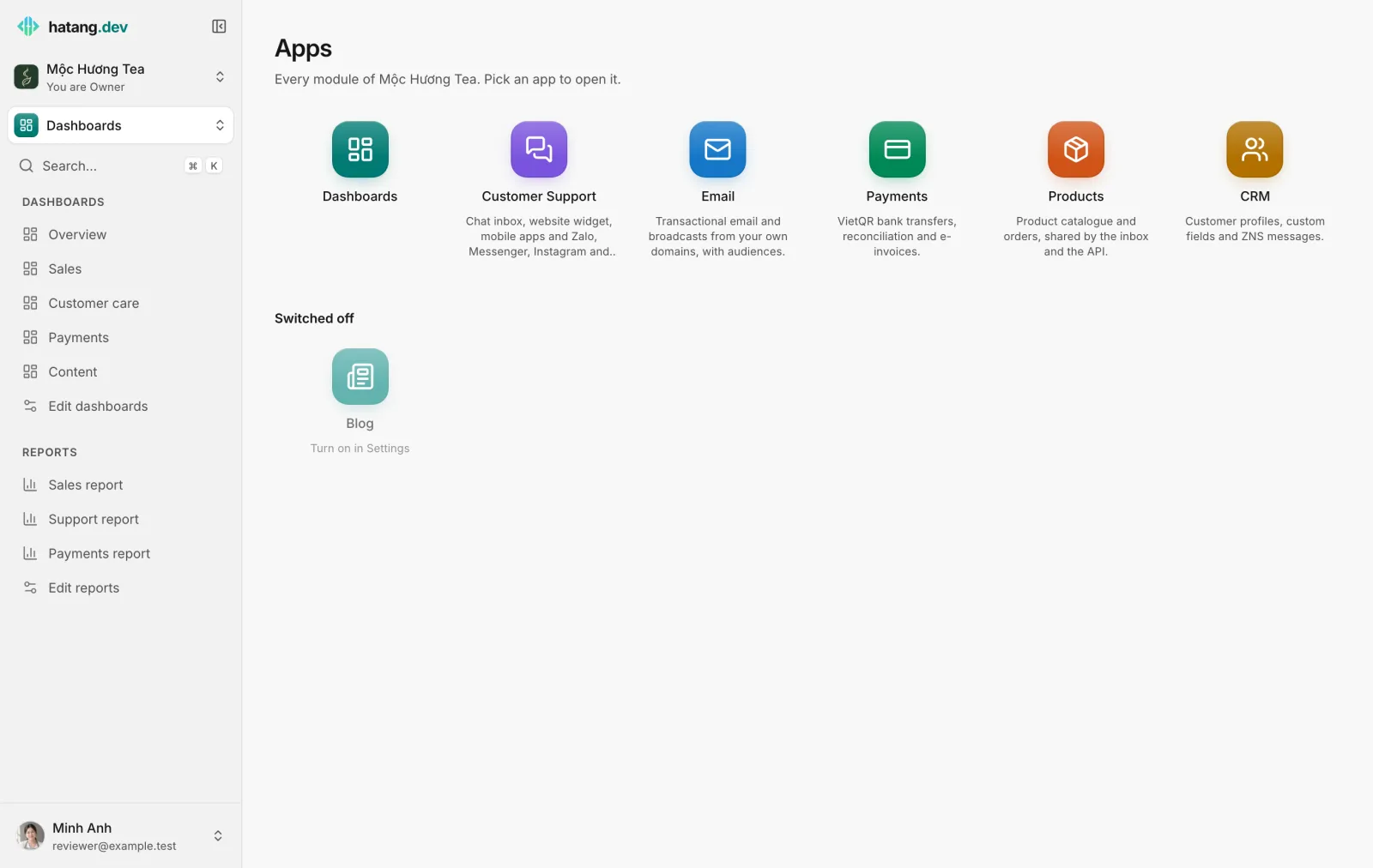
- Click a tile to open that app. Its pages appear in the sidebar.
- Owners and admins also see Switched off: apps the business has not turned on, with Turn on in Settings. Click one to turn it on. See Modules.
- Employees only see the apps their access lets them open. See Module access.
The Settings app, at the bottom of the app menu, holds the business itself: API Keys, Webhooks, Employees and Business settings.
Ways to connect Ha Tang
| You want to | Use | Who sets it up |
|---|---|---|
| Put live chat on a WordPress site | The Ha Tang Chat plugin for WordPress | Whoever manages the site |
| Put live chat on Shopify, Haravan, Sapo, LadiPage, Webflow or any other site | The widget snippet: see Install the chat widget | Whoever manages the site |
| Answer Zalo, Facebook, Instagram, TikTok, WhatsApp, Telegram, LINE, X and email in one inbox | Channels: see How channels work | An admin with access to those accounts |
| Get TikTok Shop orders into Ha Tang | The TikTok Shop channel: see TikTok Shop | An admin of the shop |
| Import your product catalog | CSV, Google Sheet or your website: see Your product catalog | Anyone with Work access to Products |
| Send new orders, conversations or payments to Google Sheets, a CRM, Slack or your own system, with Zapier, Make or n8n | Webhooks | Anyone comfortable with no-code tools |
| Let your own software read and write in Ha Tang | API keys and the developer hub | A developer |
| Chat inside your iOS, Android, Flutter or React Native app | The Ha Tang SDKs and an app key: see Mobile and desktop apps and the SDK guides | A developer |
| Send email from your own software | The email API or the SMTP relay: see SMTP relay | A developer |
| Receive bank transfers and issue e-invoices | Payments: see Link your bank account and E-invoice providers | The owner or the accountant |
Who can set up integrations
- Channels, the widget and app keys need Manage access to Customer Support.
- API Keys and Webhooks need the Developer (API keys, webhooks) access, which owners and admins always have. See Module access.
- Anything an integration does, it does as your business: treat API keys and webhook secrets like passwords.
Useful next steps
Was this article helpful?
Related articles
- Ha Tang Chat for WordPressAdd the Ha Tang chat widget to every page of a WordPress site with the free Ha Tang Chat plugin, choose its position and language, and recognize logged-in users.
- Webhooks for Zapier, Make and n8nSend Ha Tang events, such as a new order, a paid payment or a new conversation, to Zapier, Make, n8n or your own server the moment they happen.
- API keysCreate keys that let your developers' software use Ha Tang, give each one only the permissions it needs, and revoke a key that leaked.
- Turn modules on and offChoose which parts of Ha Tang your business uses. A module that is off disappears for everyone, and its data is kept until you turn it back on.
Not finding what you are looking for?
Our team answers in the chat, in English or Vietnamese.