The widget does not show on my website
Go through the usual reasons the chat bubble is missing, from a page excluded in the settings to a domain mismatch, and fix each one.
Updated on
On this page
When the widget cannot start, it stays silent: no bubble and no error on your page. Work through the checks below in order; most problems are solved by the first three.
Check the install status first
Go to Customer Support → Channels and click your website. The Install card at the top tells you whether the widget has loaded on your domain:
- Installed on your domain, last seen a few minutes ago: the code is on your site and loads. The widget is hidden by a setting; go to Check the widget settings.
- Not detected yet, or last seen long ago: the code is missing from your pages, or your domain does not match. Go to the next section.
On the Channels page, a website whose widget has never loaded shows Not installed.
Check the code and the domain
| What you see | Cause | What to do |
|---|---|---|
| Not detected yet right after installing | The page you opened is still cached, or not published. | Clear your website's cache (caching plugin, CDN) and reload. On LadiPage, publish the page again. |
| Not detected yet | The code is not on the page. | Open your page, right-click, choose View page source and search for HATANG_SITE_ID. If it is missing, paste the code again. See Add the chat widget to your website. |
Works on mochuongtea.vn but not on another address |
The widget only loads on the website's Domain, its subdomains and the Extra allowed origins. | Fix Domain, or add the other address to Extra allowed origins (with https://), then Save settings. |
| The code is there, the site ID is right, still nothing | The code is from another website in Ha Tang, or another business. | Copy the code again from this website's Install card. |
Check the widget settings
| Setting | How it hides the widget |
|---|---|
| Status | Disabled (widget hidden) hides the widget everywhere. Set it back to Active. |
| Devices | Desktop only or Phones only hides it on the other kind of screen. |
| Only on URLs containing | When it has lines, the widget shows only on pages whose address contains one of them. |
| Hide on URLs containing | The widget hides on pages whose address contains one of the lines. |
| Hide the bubble entirely when offline | The widget disappears while nobody is online. See Office hours and offline messages. |
| Allow the widget inside cross-origin iframes | When off, the widget does not start on a page shown inside another website's frame, such as some page builders' previews. |
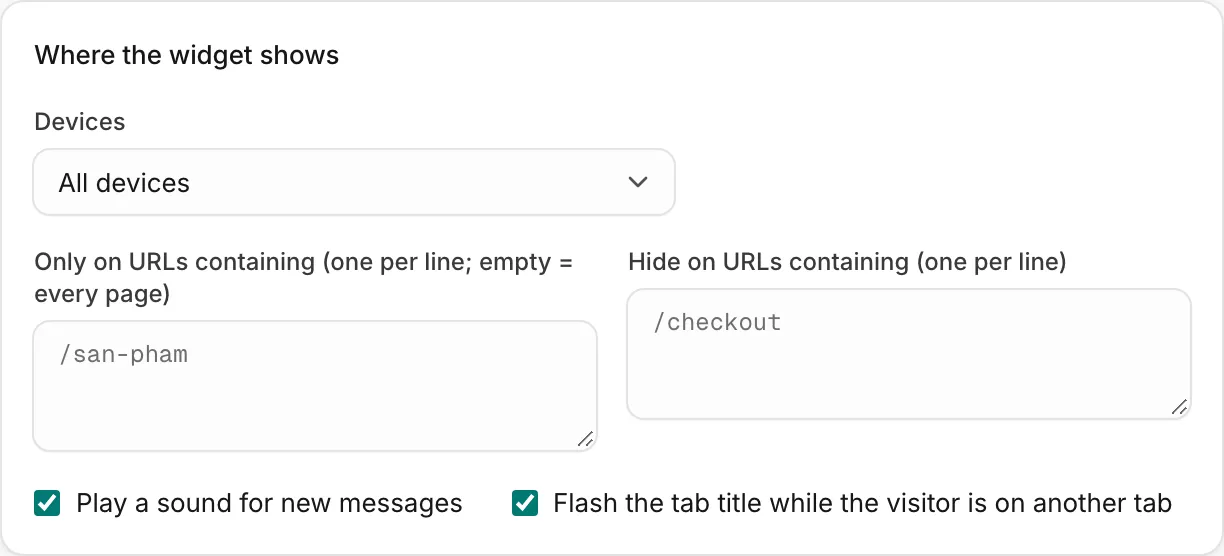
Remember that settings reach visitors within a minute of Save settings.
Check the Customer Support module
When the Support module is turned off for the business, the widget stops showing on every website. An owner or admin can turn it back on. See Modules.
Still missing
If the install status says Installed and none of the settings hide it, ask your developer to open the browser's developer tools on your page and look at the request to chat.hatang.dev called bootstrap:
| The request answers | Meaning |
|---|---|
403 origin_not_allowed |
The page's address does not match the website's domain or allowed origins. |
403 site_disabled |
Status is Disabled (widget hidden). |
403 product_disabled |
The Customer Support module is off. |
| 429 | The page loads the widget many times a minute, usually because the code is pasted in a loop. |
| Blocked in the console | The website's security policy (CSP) blocks the widget. It must allow https://chat.hatang.dev and wss://chat.hatang.dev. |
A page that sets hideLauncher in its own code hides the button on purpose; the chat then opens from the website's own buttons. The developer guide has the technical details.
Was this article helpful?
Related articles
- Add the chat widget to your websiteCreate a website channel, paste its code on every page and check that visitors can chat with your team from the Inbox.
- Change how the widget looksSet the widget's colour, theme, position, launcher button, header, language and the pages it shows on, and check every change in the live preview.
- Office hours and offline messagesDecide when the widget shows as online, what visitors see when your team is away, and how you hear about messages that arrive after hours.
Not finding what you are looking for?
Our team answers in the chat, in English or Vietnamese.