Ticket statuses
Open, in progress, waiting on the customer, resolved and closed, and what each one does to the SLA clocks.
Updated on
A ticket's status says where the work stands. Keep it current: the Open counter, the Overdue filter and the SLA clocks all depend on it.
The statuses
| Status | Use it when | Counts as open |
|---|---|---|
| Open | The ticket is new and nobody has started | Yes |
| In progress | Someone is working on it | Yes |
| Waiting on customer | You need something from the customer, such as a photo, a tax code or a delivery address | Yes |
| Resolved | The work is done | No |
| Closed | Done and nothing more is expected | No |
In the list's status filter, Waiting on customer is shown as Waiting. Without a status filter the list shows the three open statuses.
Change the status
You need Work access to Customer Support.
- Open the ticket from Customer Support → Tickets.
- Choose the new Status.
- Click Save.
What happens:
- The badges at the top of the ticket's side panel change.
- If the ticket is linked to a conversation, its timeline records "Ticket TK000004: In progress → Resolved".
- Moving a ticket to In progress counts as its first response, if nobody has replied yet.
- Resolved and Closed stop the resolution clock and record the time ("resolved …" under the title).
- Moving a resolved or closed ticket back to an open status clears that time. The deadlines stay as they were.
- When a ticket linked to an email conversation becomes Resolved, the customer gets a short email in their thread: their request has been resolved, and they can reply if anything is still not right. Customers on chat channels are not messaged.
Resolved or closed?
Both count as finished. Use Resolved for normal completion and Closed when a ticket should not be worked on again, for example a duplicate. Neither one changes the linked conversation: resolve the conversation separately.
Reading a ticket page
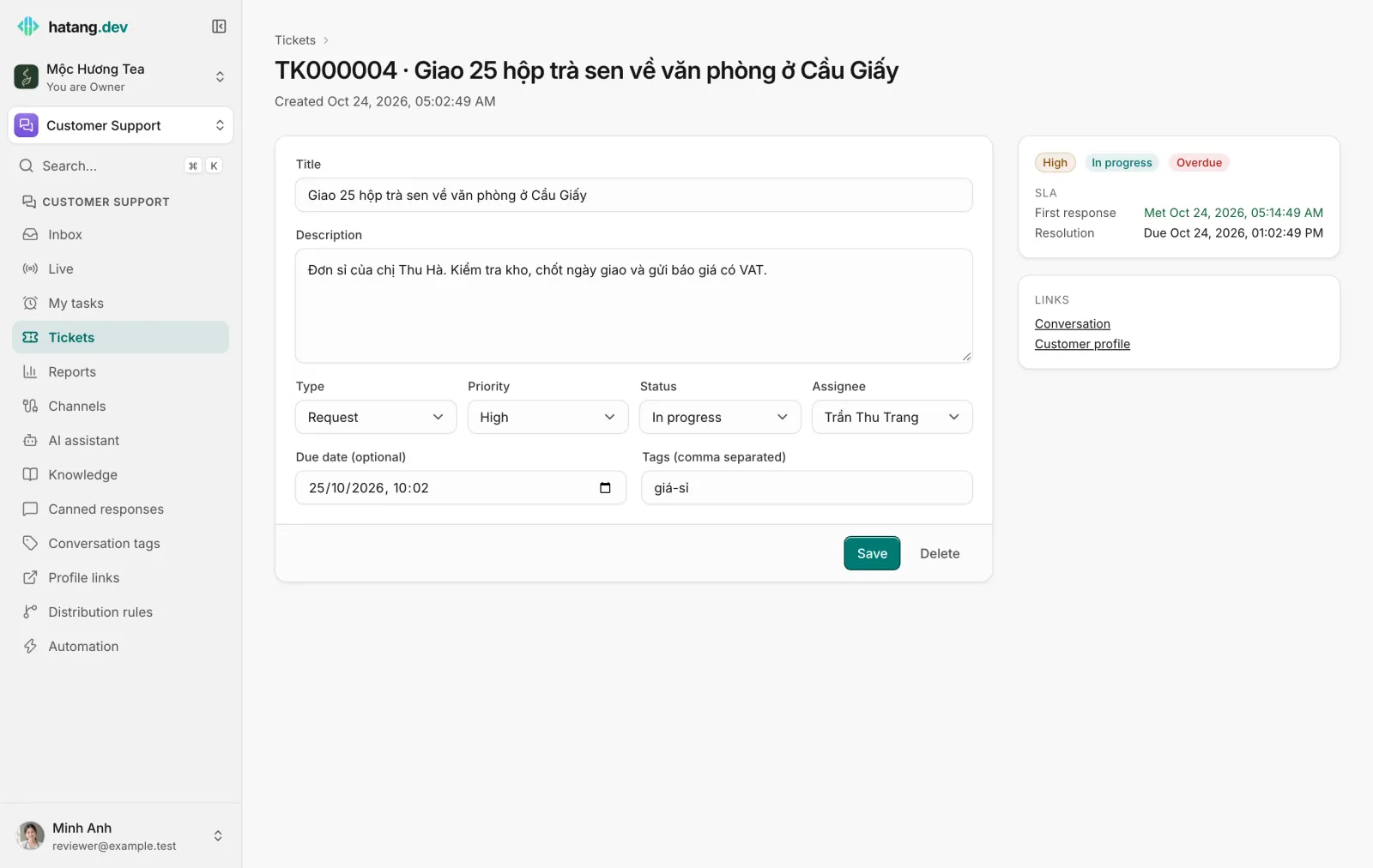
The side panel shows the priority and status badges, Overdue when it is, and the two SLA clocks: First response and Resolution, each with Due …, Met … in green or Breached (due …) in red. Links go to the Conversation and the Customer profile.
Useful next steps
Was this article helpful?
Related articles
- What tickets are forTickets track requests that take longer than one conversation, such as a return, a wholesale order or a bug, with an owner, a priority and SLA deadlines.
- SLA deadlines and breachesSet how fast tickets must get a first response and be resolved per priority, and what happens when a deadline is missed.
- Create a ticketOpen a ticket from a conversation in two clicks, or from the Tickets page, and fill in type, priority, owner and due date.
Not finding what you are looking for?
Our team answers in the chat, in English or Vietnamese.